
VIWO Restaurant ERP

QR menu & table ordering · Qatar

Guests scan, browse, order.

A bright digital menu on the guest's own phone — live photos, prices and availability — with orders flowing straight to your kitchen. No app to install.

Works offline · Windows & macOS · Arabic & English · Multi-outlet

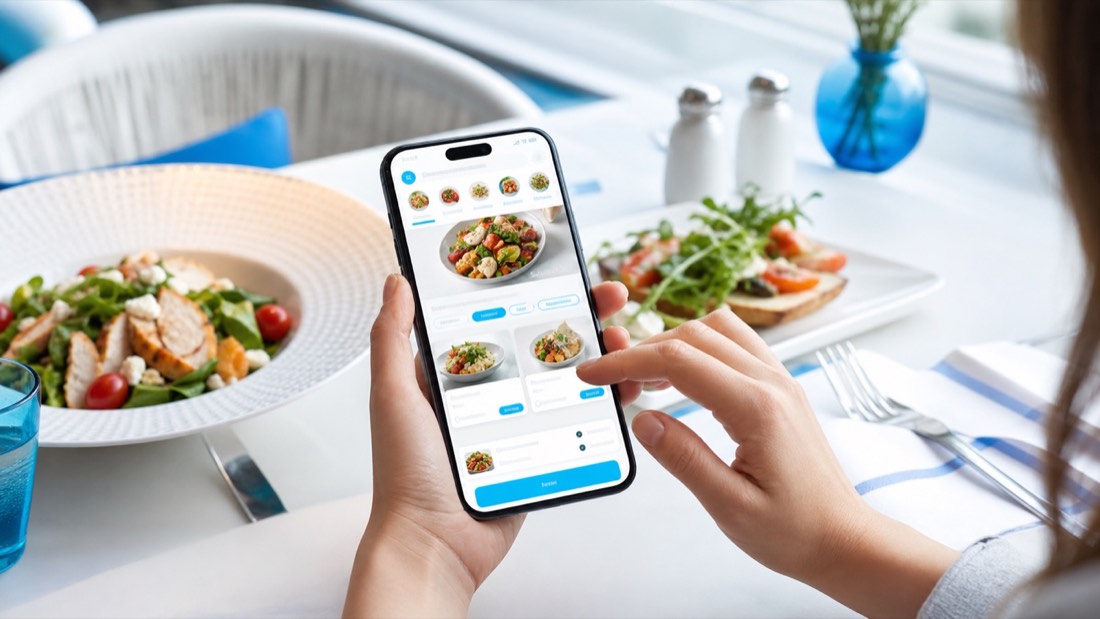
Guest ordering from a QR digital menu on their phone in a Qatar restaurant
The digital menu on the guest's own phone.

A menu that sells, on the phone they already hold.

Paper menus go stale the day you print them. VIWO's digital menu shows live photos, prices and availability — an item that runs out disappears before a guest can order it, and a price change publishes to every table instantly.

Guests browse, customise with modifiers, build a basket and place the order from their own phone. There is no app to download and nothing to install; a scan opens the menu in the browser.

  • Live photos, prices and availability
  • Modifiers and basket on the phone
  • No app download required

Each table gets its own QR.

Table QRs are unique, so an order placed from table 12 arrives attributed to table 12 — no waiter round-trip to take it, no ambiguity about where it goes. Guests can also call a waiter or request the bill from the same screen.

Confirmed orders flow into the same live order queue as everything else, print as KOTs to the right kitchen stations, and appear on the kitchen display alongside dine-in and delivery orders.

Self-service beyond the table.

The same menu engine that powers café counter service drives the self-service kiosk — guests browse, customise, order and pay at the kiosk while confirmed orders flow to production — and the digital menu boards above your counter, where promotions and daypart content are scheduled per outlet from the Back Office.

Everything shares the one menu and one database, so an item edited once is correct everywhere: table QR, kiosk, boards and the till.

  • Kiosk ordering and payment
  • Scheduled digital menu boards
  • One menu across every surface

Common
questions.

Anything else — message the team on WhatsApp and you will get a straight answer.

Do guests need to install an app?

No. Scanning the table QR opens the menu in the phone's browser. Guests browse, customise and order directly — nothing to download.

Can guests call a waiter from the QR menu?

Yes. Each table's QR screen includes calling a waiter and requesting the bill, alongside ordering.

What happens when an item runs out?

Availability is live. Mark an item sold out once and it disappears from the digital menu, kiosk and boards immediately, so guests cannot order what the kitchen cannot make.

Does QR ordering work in Arabic and English?

The guest menu presents your items with photos and prices, and your receipts and kitchen tickets print in Arabic and English. Ask the team for a demo in both languages.

Book a free demo

See QR ordering on
your own menu.

The VIWO team in Doha will load your menu and walk you through QR ordering at your outlet or over a call — and you will get a written quotation the same day.

  • Free demo on your own menu
  • Works online and fully offline
  • Arabic and English receipts and KOTs
  • Multi-brand and multi-outlet
  • Local team in Doha, Qatar
  • Written quotation the same day